Using ChatGPT to Cluster Google Suggest Keywords
If you are using Google Suggest because you want real phrasing that people type into Google, ChatGPT can help you turn that messy list into clean groups you can actually write around. Think of it as a sorting and labeling assistant for autocomplete keyword clusters.
What is Google Suggest?
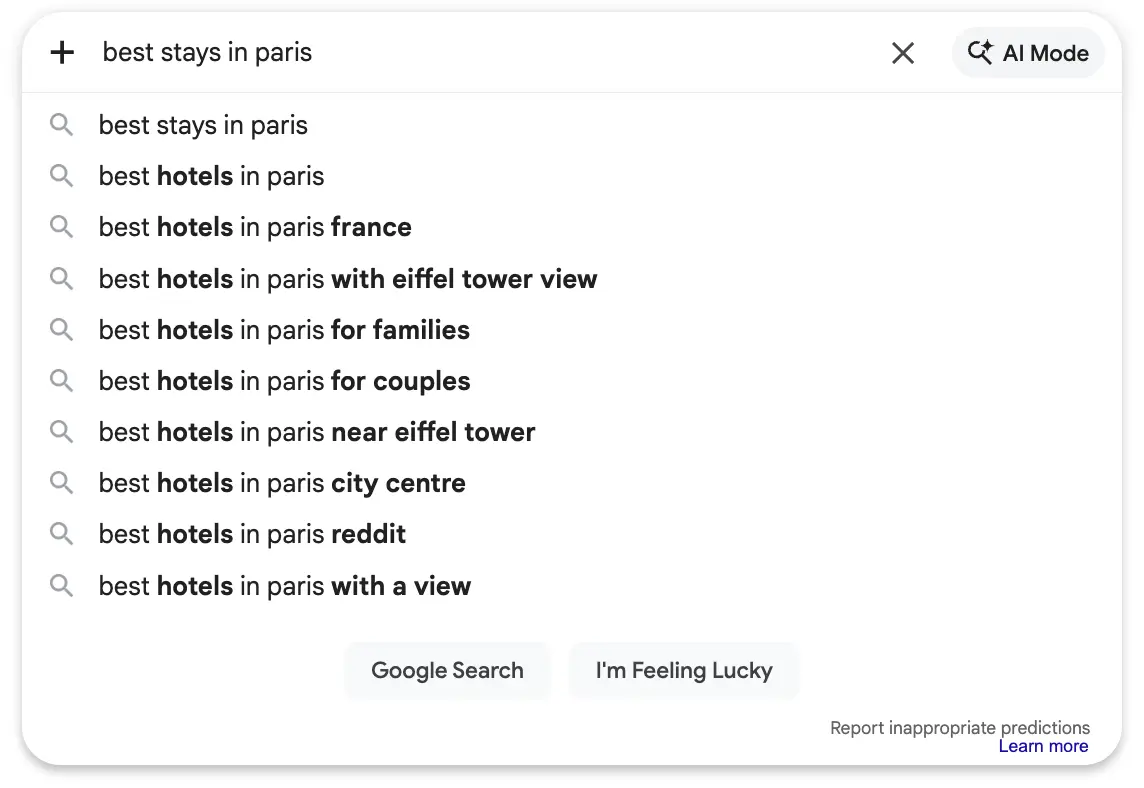
Google Suggest is the autocomplete dropdown that appears in Google’s search bar while you type, offering predictions based on real searches people commonly make. For SEO, it’s a simple way to discover the exact wording individuals use and the angles they care about without needing paid tools. In this article, you’ll learn how to collect those suggestions and use ChatGPT to organize them into clear topic clusters you can actually write and publish.
Why you should cluster autocomplete keywords
If you write separate posts that all target the same idea, they compete with each other and none of them do well. Clustering helps you decide what deserves its own page and what should be a section inside another page.
What keyword clustering is in plain English
Google Suggest is great at giving you raw ideas, but it does not give you structure. You might type “cold brew coffee” and suddenly you have 40 phrases that feel related but are not the same.
Keyword clustering is just grouping those phrases into buckets that mean the same thing.
A good cluster has one clear promise. The reader should land on the page and think, “Yes, this is exactly what I meant.” If the cluster mixes different promises, the page becomes vague and hard to rank.
Here’s a simple way to picture it:
- One cluster equals one page topic.
- Each cluster contains variations that belong on that page.
- Everything else becomes either another cluster (another page) or a supporting section.
That’s where ChatGPT helps. It can read a list of phrases and quickly do the first pass of grouping google suggest keywords by topic. You still make the final call, but it saves you the slow manual sorting.
Keyword clustering AI with ChatGPT keyword grouping
The goal of keyword clustering AI is not to “find secret keywords.” The goal is to interpret what your list already contains and organize it into something you can publish.
Step 1: Collect a clean list from Google Suggest
Start with one seed phrase and expand using simple modifiers. For example, if your seed is “email marketing,” you can try:
- email marketing for
- email marketing vs
- email marketing tools
- email marketing how to

You will end up with a list like:
- email marketing for beginners
- email marketing for ecommerce
- email marketing for small business
- email marketing tools free
- best email marketing tools
- email marketing vs sms marketing
- email marketing vs social media
- how to start email marketing
- email marketing checklist
- email marketing strategy for startups
Do not overthink the list. Just collect what looks relevant.
Step 2: Ask ChatGPT to group by intent first
Beginners often cluster by “words that look similar.” That is okay, but intent is the better first filter.
You want ChatGPT to answer: do these phrases want a tutorial, a comparison, a tool list, or a template?
A simple prompt that works well:
1. Paste your list.
2. Add a short instruction.
Example prompt:
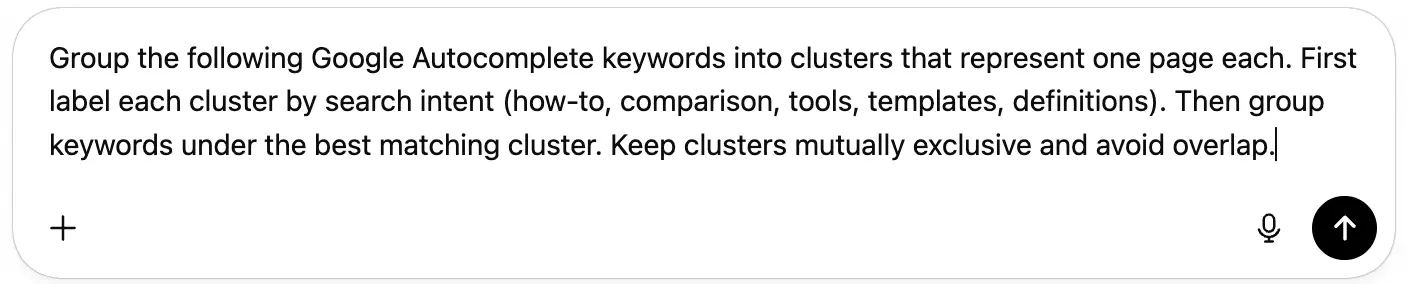
“Group the following Google Autocomplete keywords into clusters that represent one page each. First label each cluster by search intent (how-to, comparison, tools, templates, definitions). Then group keywords under the best matching cluster. Keep clusters mutually exclusive and avoid overlap.”
That is it. You do not need to “prompt engineer” this to death.
Step 3: Ask for a cluster summary you can turn into page briefs
Once you have clusters, ask ChatGPT to make them usable.
Example follow-up prompt:
“For each cluster, write a one sentence page purpose and list 3 to 5 suggested H2 sections that would satisfy the reader. Do not invent facts, just suggest structure.”
Now you have mini page briefs.
Step 4: Do a quick human pass to fix the common mistakes

ChatGPT will often do three things wrong:
- It will merge clusters that should be separate.
- It will split clusters that should be one.
- It will create a cluster label that sounds nice but is not specific.
You fix that by asking a couple of simple questions per cluster:
- If someone searched this, what would they expect to see?
- Would they be annoyed if they landed on a page about something broader?
- Would two clusters lead to nearly identical pages?
If the answer is “yes, these pages would be similar,” merge. If the answer is “no, these searches want different outcomes,” split.
A quick example of a good set of clusters
Using the email marketing list above, ChatGPT might produce something like:
- How-to: starting email marketing
- how to start email marketing
- email marketing for beginners
- Tools: picking software
- best email marketing tools
- email marketing tools free
- Comparison: choosing a channel
- email marketing vs sms marketing
- email marketing vs social media
- Templates: ready-made assets
- email marketing checklist
- Strategy: planning for a use case
- email marketing for ecommerce
- email marketing for small business
- email marketing strategy for startups
This is useful because each cluster can become a separate page without stepping on the others.
This is also why “simple keyword clusters without tools” is realistic. You are using Google Suggest as your data source, and ChatGPT as your organizer.
Topic clustering SEO mistakes to avoid

Topic clustering SEO sounds fancy, but for beginners the mistakes are very normal. Here are the big ones that create messy content plans.
Mistake 1: Clustering by shared words instead of shared meaning
Two phrases can share a word and still want different pages.
Example:
- “best running shoes”
- “running shoes size guide”
Both include “running shoes,” but one wants a product shortlist and the other wants guidance.
If you group them together, your page becomes a confused mix of advice and recommendations.
When you ask ChatGPT for chatgpt keyword grouping, tell it to cluster by intent and expected page type, not just similar phrasing.
Mistake 2: Making clusters that are too broad to write well
A cluster like “SEO basics” can swallow everything. It becomes a dumping ground.
Broad clusters feel safe, but they create weak pages because you cannot be specific. Beginners are better off with clusters that answer a narrow, clear question.
You can even ask ChatGPT to tighten them:
Example prompt:
“These clusters feel too broad. Split any cluster that contains multiple reader outcomes. Keep each new cluster focused enough to be one page.”
Mistake 3: Letting ChatGPT decide what is “important”

ChatGPT cannot see your business, your audience, or what you can realistically write. It can organize, but you still choose.
A good mindset is:
- Google Suggest gives you language.
- ChatGPT gives you order.
- You provide relevance and priorities.
If you are building content for a product, always sanity check clusters against what your product actually helps with. Otherwise you create content that gets traffic but does not lead anywhere.
Mistake 4: Publishing multiple pages that target the same cluster
This is the cannibalization issue in real life.
It happens when you write:
- “email marketing for beginners”
- “how to start email marketing”
- “email marketing basics”
Those can easily become the same page.
Clustering is how you avoid that. Pick one primary page per cluster and use the other phrases as subtopics inside it.
If you are not sure, ask ChatGPT:
“Do these two keywords belong on the same page or separate pages? Explain what the reader expects for each and whether the content would overlap.”
Use the explanation, not the decision.
Common questions and edge cases

How does chatgpt keyword clustering for beginners work if my list is messy?
It works fine as long as you clean up the input a little and tell ChatGPT what you want. Remove obvious duplicates, keep each keyword on its own line, and avoid mixing in unrelated topics.
If your list includes multiple subtopics, tell ChatGPT to separate them before clustering:
“First split this list into distinct themes, then cluster within each theme by intent.”
That prevents the common issue where it forces everything into one structure.
What’s the best way to do AI clustering autocomplete keywords without making clusters that overlap?
The key is to define the rule: one keyword goes in one cluster, and clusters should map to one page each.
Use this kind of instruction:
“Create clusters that are mutually exclusive. Each keyword must appear in only one cluster. If a keyword could fit in two clusters, choose the one that best matches the reader’s main goal.”
Then do a human pass and merge any clusters that would lead to nearly identical pages.
If you want a quick overlap check, ask:
“Which clusters are likely to produce similar articles? Suggest merges and explain why.”
What to do next
Google Suggest gives you real search phrasing, and ChatGPT helps you turn that into a clean plan by grouping autocomplete keywords into page-sized clusters. Your next step is to collect 30 to 80 suggestions for one topic and run one clustering pass in ChatGPT, then choose one cluster to turn into your next article.